


I just spoke with a customer whose wife had her backpack stolen from their car while she was shopping. Inside were her MacBook Pro, wallet, checkbook, and important personal information.
The thief didn’t just take the computer. According to the customer, someone immediately started writing fraudulent checks, and the family had to change their bank account.
Now they’re dealing with a police investigation, financial headaches, replacing a computer, and potentially losing files that weren’t fully backed up.
I’m sharing this not to criticize anyone, but because one bad afternoon can turn into a much bigger problem. Here are a few precautions I take myself—and some things I want every MacMedics customer to check.
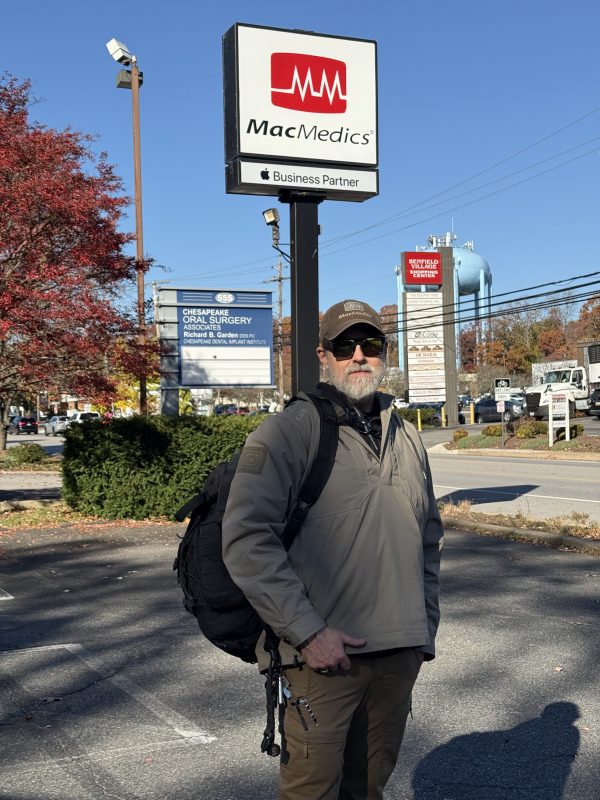
My backpack goes into the store with me. Every time.
If I stop somewhere after work with my work backpack, that backpack comes inside with me.
And honestly, I don’t care what anyone thinks about me walking around a store wearing a giant black backpack. It’s just not worth leaving it in the car.
I probably have $400–$500 in computer tools in that bag alone. Add my 16-inch MacBook Pro with the nano-texture display—roughly a $3,500–$4,000 computer—and that’s a lot to leave sitting in a parking lot.
But even beyond the replacement cost, I don’t want the disruption or the headache of wondering what someone might have gotten their hands on.
A thief doesn’t know whether your backpack contains gym clothes or an expensive computer. I don’t want someone breaking my window to find out.
Turn on Find My—before you need it.
The customer’s stolen Mac did not have Find My enabled.
Find My is one of Apple’s most valuable built-in features. On a compatible Mac, turning it on also enables Activation Lock, which helps prevent someone else from erasing and reactivating your computer for their own use. Even remotely erasing the Mac does not automatically remove that protection.[support.apple]
Please don’t assume it’s enabled just because you’re signed into your Apple Account. Check it.
On current versions of macOS, go to System Settings → your name → iCloud → See All → Find My Mac.[support.apple]
Find My can help locate a missing device, but it isn’t a guarantee that you’ll recover it. Think of it as an important layer of protection—not permission to leave your computer somewhere risky.
Protecting your data and protecting your computer are different things.
The stolen computer was an M1 MacBook Pro. These Macs have built-in encryption, but I would not tell someone, “There’s absolutely no way anyone can get your data.”
Apple silicon Macs automatically encrypt their internal storage. Turning on FileVault adds an important layer of protection by requiring your login credentials to unlock access to that data. You can check yours under System Settings → Privacy & Security → FileVault.[support.apple]
Think of it this way: FileVault helps protect what’s on your Mac. Find My and Activation Lock help protect the Mac itself. You want both.[support.apple][support.apple]
A replacement Mac doesn’t replace your missing files.
Unfortunately, this computer wasn’t fully backed up.
That’s why I keep talking about Time Machine. It’s built into your Mac, there’s no subscription required, and an external backup drive can automatically back up your documents, photos, email, and other files. If your computer disappears, those backups can help you get your files onto its replacement.[support.apple]
Set it up, let it run, and check that it’s actually completing backups. Turn on backup encryption, too.[support.apple]
And please don’t keep your only backup drive in the same backpack as your laptop. If both disappear together, that backup can’t help you.
We can help you replace a computer. Replacing the only copy of your family photos or important documents may not be possible.
An AirTag is another layer—not a reason to leave the bag behind.
I keep an AirTag in my backpack and use Find My’s “Notify When Left Behind” feature. That can alert me if I become separated from the bag. Check that those notifications are enabled and that your trusted-location settings match where you actually want alerts.[support.apple]
Don’t think of it as a guaranteed alarm that goes off the instant your bag gets 100 feet away. It’s a separation alert, not a fixed-distance security system.[support.apple]
I also like the idea of two AirTags: one visible on the outside and another tucked inside the bag. I don’t currently have that setup on this backpack, but it’s an extra layer I’ve considered. If someone removes the obvious tag and overlooks the second one, you might still have a way to locate the bag.
That’s a possibility—not a guarantee. AirTags have anti-tracking safeguards that can notify someone when an unfamiliar tag is traveling with them, and a tag separated from its owner can make a sound. A second tag isn’t an invisible, theft-proof tracking system.[support.apple]
Could an old cellular Apple Watch help?
Another option I’ve considered for certain trips is putting an older, charged cellular Apple Watch in the bag as an additional device I can locate through Find My.
A compatible Apple Watch with active cellular service can connect without your iPhone nearby. Find My may then show its location, giving it a different way to communicate than an AirTag.[support.apple][support.apple]
But there are trade-offs: a monthly service charge, regular charging, and dependence on coverage and remaining battery power. It’s not guaranteed continuous, live tracking. Before paying to reactivate an old watch, check that the model is supported and confirm the carrier’s actual monthly cost.[support.apple][support.apple]
For me, these are backup measures. My first choice is still the simplest one: the backpack comes with me.
And if a tracker shows where stolen property might be, share that information with the police. No computer, tool kit, or backpack is worth confronting a thief yourself.
Your checkbook doesn’t need to go everywhere you go.
Unless I specifically need to write a check, I leave my checkbook at home.
In this family’s case, the stolen checks created an immediate financial crisis on top of everything else. Before you head out, think about what’s in your bag—and what you actually need to carry.
The less sensitive information you have with you, the less you have to replace or secure if that bag disappears.
Debit cards have protections—but they’re not the same as credit cards.
For everyday purchases, I prefer a credit card because fraudulent debit-card transactions can take money directly out of your checking account.
Debit cards do have fraud protections. But how quickly you report a lost or stolen card matters: reporting within two business days generally limits your liability to no more than $50; waiting longer can increase your exposure. Those are federal protections for consumer accounts, and your bank may offer additional protections.[consumerfinance]
Credit-card protections work differently. Many issuers offer zero-liability policies, and federal law generally limits liability for unauthorized use of a stolen consumer credit card to $50. Report a missing card immediately—don’t assume temporarily locking it in an app replaces notifying the issuer.[consumerfinance][files.consumerfinance]
A few minutes now can prevent a much bigger headache later.
Nobody plans to have their car broken into. That’s why the preparation has to happen beforehand.
Take a few minutes today:
- Check that Find My is enabled.
- Check that FileVault is turned on.
- Look at the date of your last completed Time Machine backup.
- Keep your backup somewhere separate from your laptop.
- Enable separation alerts for the AirTag in your bag.
- Take anything out of your wallet or backpack that doesn’t need to be there.
And when you stop at the store after work, bring the backpack inside. Looking a little awkward carrying a giant bag is a lot better than coming back to a broken window.
—Dana
MacMedics
